A Smarter Way to Watch Live TV and Sports
Watching live television on a Mac should be simple. Whether you are following a football match, checking the latest news, or switching between live events, your IPTV player should make the experience smooth and organized.
Unfortunately, many traditional IPTV applications still rely on basic playlists and complicated channel navigation.
IPTVIQ offers a different approach.

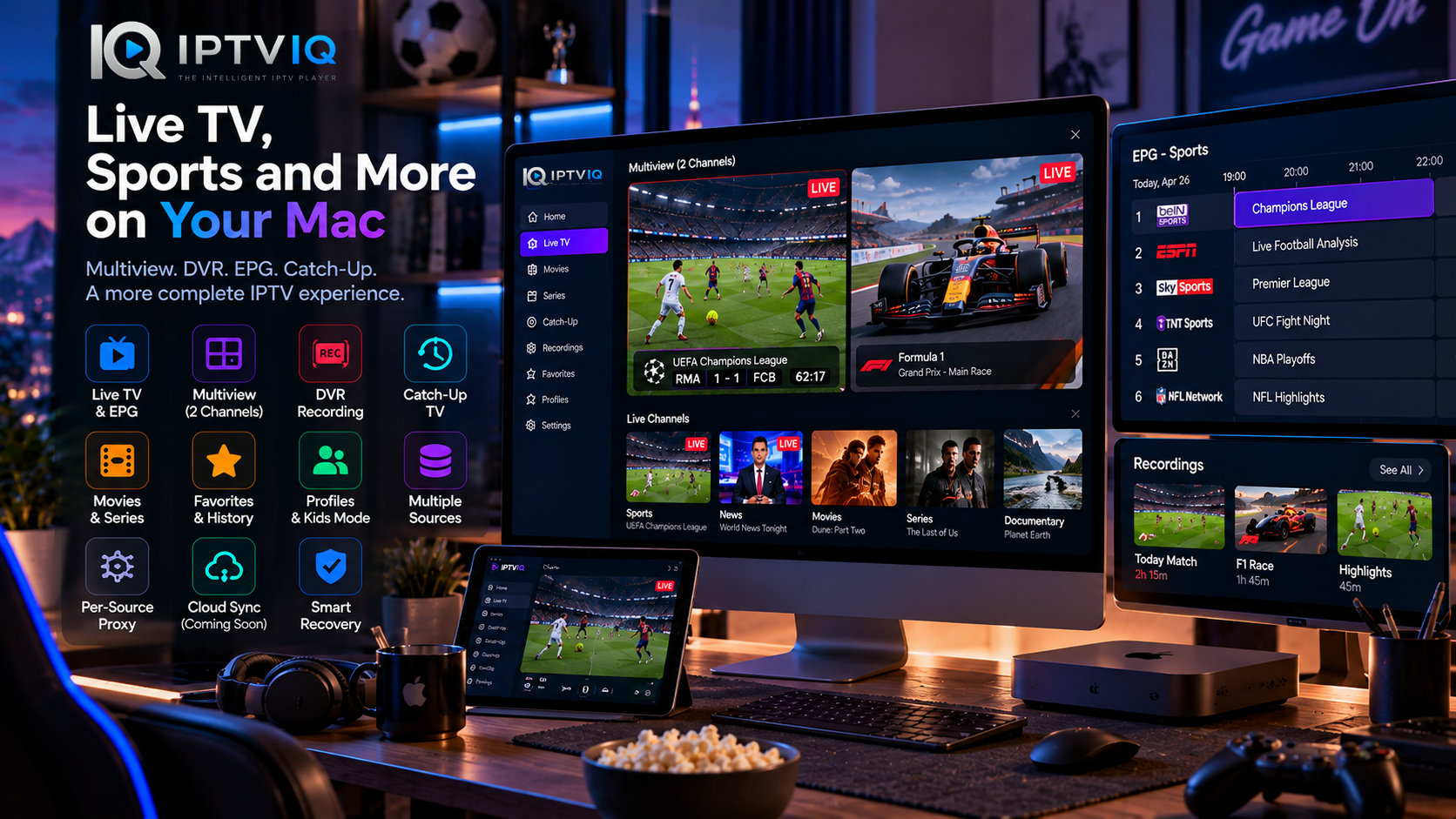
Designed for macOS, IPTVIQ combines live television, Electronic Program Guide (EPG) integration, Multiview, DVR recording, Catch-Up TV, and advanced channel management in one application.
For viewers who regularly watch sports and live broadcasts, these features can make a significant difference.
Meet IPTVIQ: An IPTV Player Built for Mac
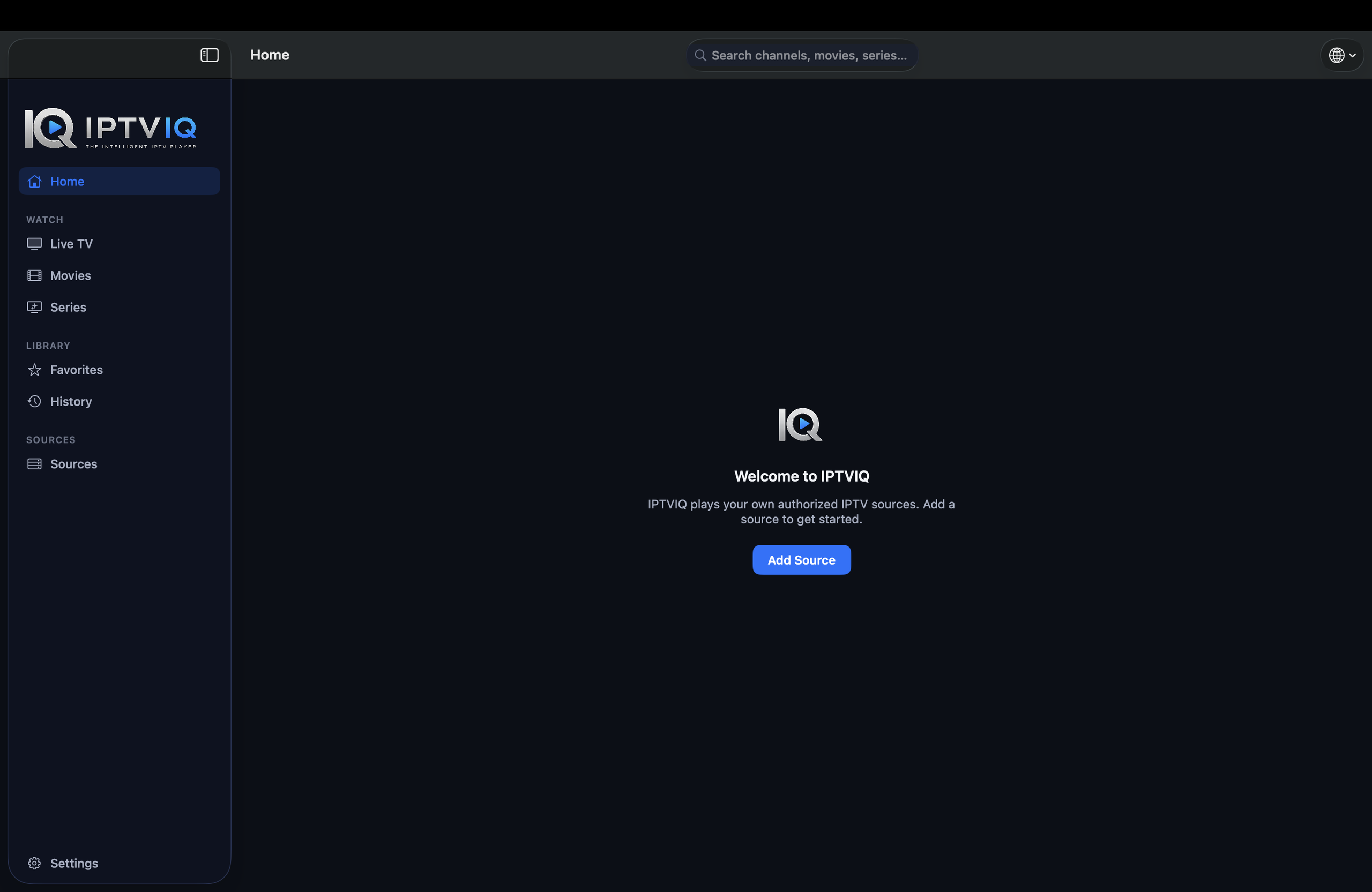
IPTVIQ is a modern IPTV media player that allows users to connect compatible IPTV sources and watch their available content through a dedicated macOS application.
Rather than selling television subscriptions, IPTVIQ focuses on playback, organization, and user experience.
Users bring their own compatible IPTV sources, while the application provides the tools needed to navigate channels, manage viewing preferences, and access supported features.
IPTVIQ does not independently provide television channels, movies, or IPTV subscriptions.
Why Live TV Needs a Better IPTV Player
Live television is different from on-demand entertainment.
When watching a movie, viewers can pause, browse, and return later. Live broadcasts often require faster interaction.
Imagine watching a football match while another important event is happening on a different channel.
You may want to switch quickly, check the program schedule, or record a broadcast for later.
A basic playlist player may provide access to the stream, but it does not necessarily make these tasks convenient.
IPTVIQ addresses these situations through features designed specifically for live television.
Multiview: Watch Two Live Channels Simultaneously
One of IPTVIQ’s standout features is Multiview.
This functionality allows two compatible live streams to be displayed simultaneously.
For sports enthusiasts, the possibilities are particularly interesting.
Imagine two football matches taking place at the same time.
Instead of switching constantly between channels, both broadcasts can remain visible on the screen.
Multiview can also be useful for:
- Following two sporting events
- Watching live news alongside another broadcast
- Monitoring simultaneous live programs
- Keeping track of two different channels
The experience depends on the performance of the Mac, the internet connection, and the availability of compatible streams.
EPG: Know What’s Playing Before You Switch
An Electronic Program Guide provides information about current and upcoming television programming.
Without EPG, users may need to open several channels just to discover what is being broadcast.
With compatible EPG data, IPTVIQ can display program information alongside available channels.
This helps viewers make more informed decisions.
For example, a sports viewer may want to know when a match begins or which program follows the current broadcast.
EPG integration makes that information easier to access.
Mini-EPG for Faster Navigation
IPTVIQ also includes Mini-EPG functionality.
Rather than requiring viewers to leave the current experience and open a separate guide, Mini-EPG provides a more convenient way to access relevant programming information.
This is especially useful when switching between live channels.
Program information ultimately depends on the EPG data supplied by the connected IPTV source.
DVR Recording: Save Live Broadcasts on Your Mac
Not every live event happens at a convenient time.
A football match may begin while you are working. A television program may air while you are away from your computer.
DVR recording provides a practical solution.
IPTVIQ supports recording compatible live television streams directly to local storage.
Users can save supported broadcasts and return to their recordings later.
Why Local DVR Matters
Local recording offers several advantages.
Recorded files remain on the user’s Mac, and storage management stays under their control.
It also avoids requiring a cloud service to store large video files.
However, recording quality and reliability depend on the connected IPTV source, available storage, and network conditions.
Catch-Up TV: Watch Programs You Missed
DVR is useful when users want to record a program themselves.
Catch-Up TV works differently.
Some IPTV providers maintain archives of previously broadcast programming.
When the connected provider supports Catch-Up, IPTVIQ can provide access to those archived programs.
This means users may be able to watch a previously aired broadcast without having recorded it in advance.
Catch-Up availability and retention periods depend on the IPTV provider.
IPTVIQ does not independently maintain television archives.
Channel Categories Make Large IPTV Libraries Easier
IPTV sources can contain hundreds or thousands of live channels.
Without organization, finding a specific channel becomes unnecessarily difficult.
IPTVIQ provides categorized channel navigation to make large libraries easier to explore.
For example, viewers can navigate available sports, news, entertainment, and other channel categories when those categories are supplied by the source.
Instead of scrolling through an enormous list, users can focus on the content they want.
Favorites: Keep Your Preferred Channels Close
Most people regularly watch only a small percentage of the channels available through their IPTV provider.
Favorites help solve this problem.
IPTVIQ allows users to mark preferred channels for easier access.
A sports fan might save frequently watched sports channels, while another viewer might prioritize international news.
This makes everyday navigation more personal and efficient.
Combined with viewing history, Favorites can significantly improve how users interact with larger IPTV libraries.
Multiple IPTV Sources in One Application
Different IPTV providers use different connection methods.
IPTVIQ supports multiple source technologies, including:
- Xtream Codes
- M3U and M3U8 playlists
- XMLTV program guide data
- Stalker portals
- MAG and Ministra systems
Users can configure multiple compatible sources within the same application.
This flexibility is useful for viewers who have legitimate access to more than one IPTV service.
Rather than maintaining several independent players, they can manage their sources through a consistent interface.
Smart Recovery: Handling Temporary Playback Interruptions
Live television depends on a stable connection between the user and the IPTV provider.
Temporary interruptions can occur because of network fluctuations, server issues, or stream instability.
IPTVIQ includes Smart Recovery functionality designed to detect certain playback interruptions and attempt automatic reconnection.
This can reduce the need to manually restart a stream after a temporary interruption.
Smart Recovery cannot guarantee uninterrupted playback or restore a provider that remains unavailable.
However, it can make supported live streams more convenient to watch when recoverable interruptions occur.
Profiles for Different Household Members
A Mac may be used by several people with different entertainment preferences.
IPTVIQ supports multiple profiles to provide more personalized viewing experiences.
Each viewer can maintain relevant preferences and viewing information.
This is useful for households where one person primarily watches sports, another prefers movies, and another follows news programming.
Profiles help separate these experiences within the same application.
Kids Profiles and Parental Controls
Not every channel or program available through an IPTV source is appropriate for children.
IPTVIQ includes Kids Profile functionality that can help parents manage accessible content.
Approved and blocked content can be associated with a child’s profile.
This creates a more controlled environment without requiring every household member to use the same restrictions.
Parents should still review the configured controls and verify that the available content is appropriate.
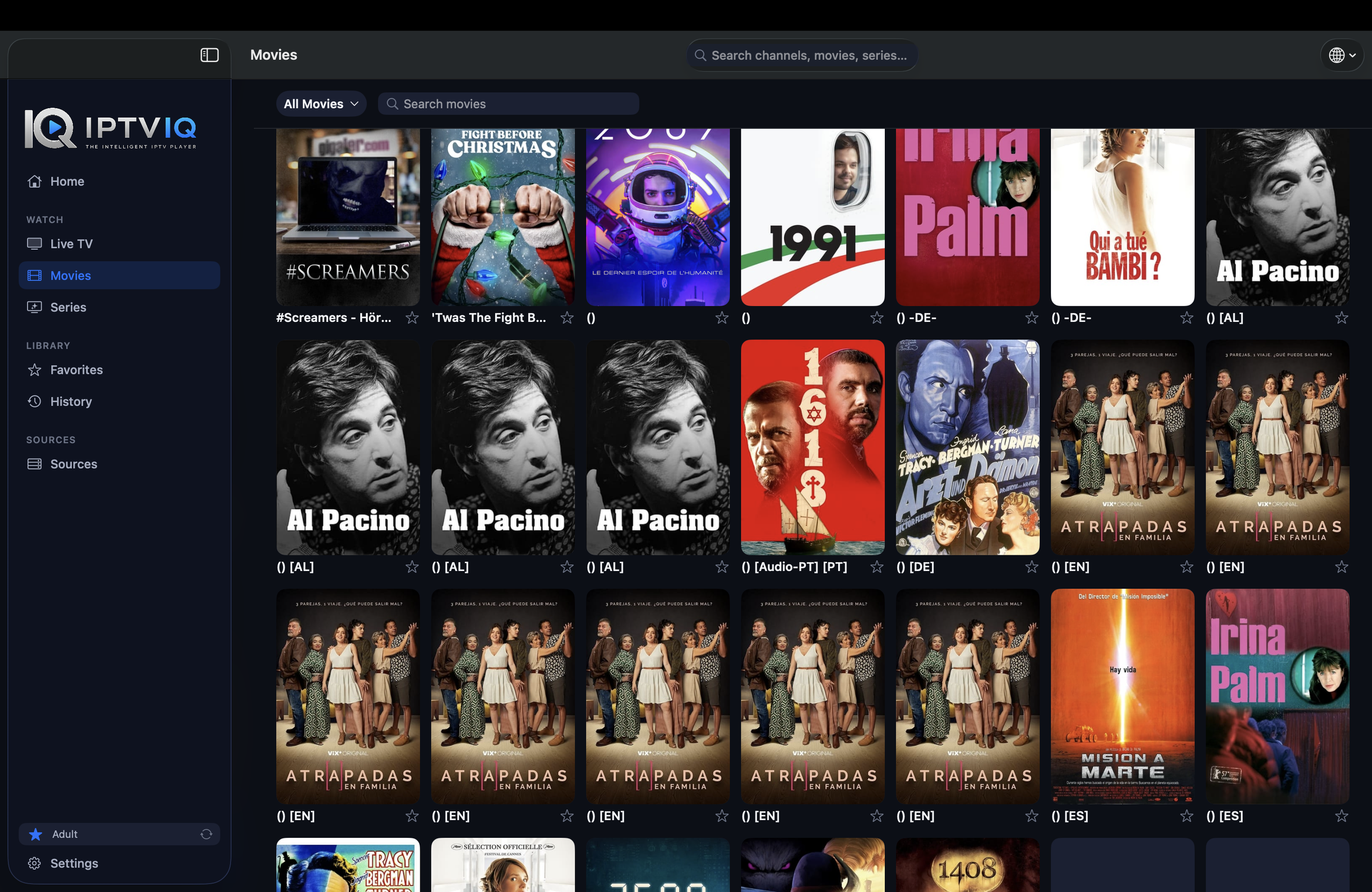
Movies, Series, and Continue Watching
Although IPTVIQ offers several features particularly useful for live television, it also supports on-demand entertainment.
Compatible IPTV sources may include movies and television series.
IPTVIQ organizes these into dedicated browsing sections.
Continue Watching functionality can remember playback progress for supported content.
For example, if a movie is stopped after 42 minutes, the application can help the viewer return to that position later.
This provides a familiar experience for users accustomed to modern streaming applications.
Advanced Networking with Per-Source Proxy Support
Some IPTV configurations require specific network settings.
IPTVIQ supports independent proxy configuration for individual IPTV sources.
Available options include:
- Direct connection
- HTTP
- HTTPS
- SOCKS5
This allows users to apply different network configurations to different sources rather than relying on a single global setting.
For advanced IPTV users, this flexibility can be particularly valuable.
Privacy and Local-First Architecture
An IPTV player may handle sensitive source configurations, credentials, profiles, and viewing information.
IPTVIQ follows a local-first approach for important application data.
Information can remain on the user’s Mac, while sensitive credentials can benefit from macOS security features.
Local DVR recording also fits this approach by keeping large video files on the device.
This architecture provides a foundation for a future multi-device experience without requiring IPTV video traffic to pass through IPTVIQ infrastructure.
Could Cloud Sync Improve the Experience?
As IPTV applications expand across different devices, synchronization becomes increasingly useful.
Imagine configuring your IPTV sources on a Mac.
You create a list of favorite sports channels, organize profiles, and begin watching a movie.
Later, you open the application on another supported device.
Without synchronization, that device may require separate configuration.
A future Cloud Sync feature could allow selected information to follow the user.
Potential synchronization categories include:
- Favorite channels
- Watch history
- Movie resume positions
- Profiles
- Kids Profile permissions
- Selected application settings
- EPG mappings
Cloud Sync is discussed here as a future capability, not as a confirmed feature of the currently available Mac application.
Cloud Sync Is Not Cloud Streaming
Synchronizing viewing preferences does not require transmitting IPTV video through a separate cloud server.
The video path can remain direct:
IPTV Provider → User’s Device
Meanwhile, application metadata could synchronize independently:
Mac ↔ Sync Service ↔ Another Supported Device
For example, synchronizing a movie’s playback position requires only metadata, not the movie itself.
Large DVR recordings could also remain local.
This separation helps maintain a more efficient architecture.
Who Should Consider IPTVIQ?
IPTVIQ may be particularly interesting for users who regularly watch live television on their Mac.
Sports enthusiasts can benefit from Multiview and EPG integration.
Viewers with busy schedules may appreciate DVR recording and provider-supported Catch-Up.
Users with large channel libraries can take advantage of Favorites and categorized navigation.
Families can explore profiles and Kids controls.
Advanced users can configure multiple IPTV sources and independent network settings.
Ultimately, the usefulness of each feature depends on the viewer’s needs and the capabilities of the connected IPTV source.
Does IPTVIQ Include Sports Channels?
No.
IPTVIQ does not independently provide sports channels, television subscriptions, or other media content.
Users must connect their own compatible IPTV sources.
The availability of sports broadcasts, channel packages, and other programming depends entirely on the connected provider.
Users are responsible for ensuring that they have the necessary rights and authorization to access the content they watch.
Final Thoughts: A More Complete Live TV Experience on Mac
Watching IPTV on a Mac should involve more than opening a playlist and searching through channels.
IPTVIQ brings together several capabilities that can improve the experience.
Multiview makes simultaneous broadcasts easier to follow.
EPG provides valuable programming information.
DVR recording allows compatible live content to be saved locally.
Catch-Up offers access to previously broadcast programs when supported by the provider.
Favorites, profiles, and categorized navigation make large IPTV libraries more manageable.
Smart Recovery helps reduce interruptions caused by temporary playback problems.
Together, these features make IPTVIQ an interesting option for Mac users who want a more capable way to watch and manage their own IPTV sources.
Download IPTVIQ from the Mac App Store or visit the official IPTVIQ website to learn more.
Disclaimer: IPTVIQ is a media player and does not provide IPTV subscriptions, channels, or copyrighted content. Users must supply their own authorized IPTV sources.